---
title: "How to use the \"Favorite\" function."
description: "This will explain how to use the new \"Favourite\" function."
---
[Skip to content](https://help.paid.co.uk/knowledge/how-to-use-the-favorite-function#main-content)
[Customer portal](https://help.paid.co.uk/tickets-view?hsLang=en)

Open main navigation
Close main navigation
- [Customer portal](https://help.paid.co.uk/tickets-view)
Advice and Answers from the Paid team
- There are no suggestions because the search field is empty.
1. [Help Center](https://help.paid.co.uk/knowledge?hsLang=en)
2. [Help for Paid Lite](https://help.paid.co.uk/knowledge/help-for-paid-lite?hsLang=en)
March 17, 2026
# How to use the "Favorite" function.
## This will explain how to use the new "Favourite" function.
This guide assumes you have the correct administrator privileges, if you do not please contact your companies ‘Super Admin’.
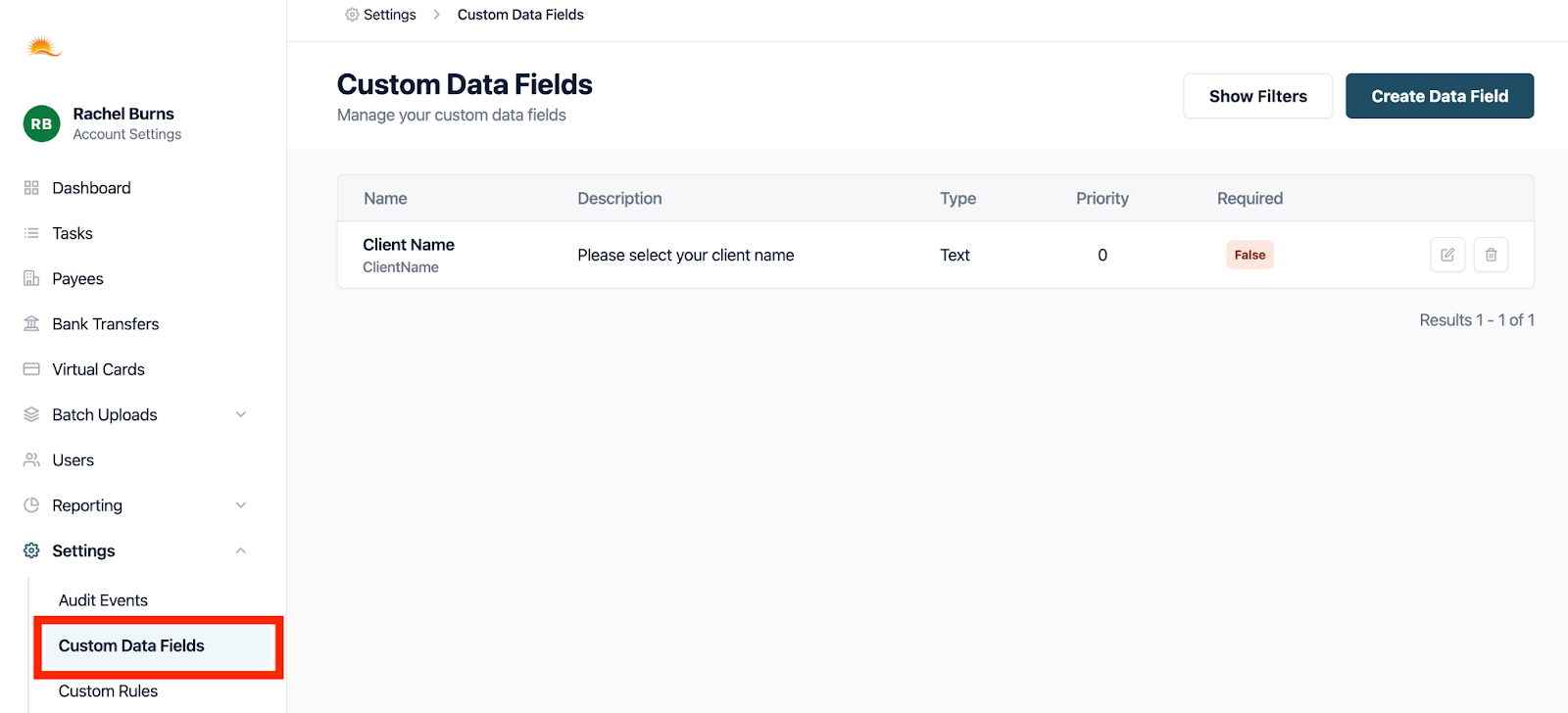
1. First we must ensure that the function has been switched on. Select "Custom Data" from the side menu.
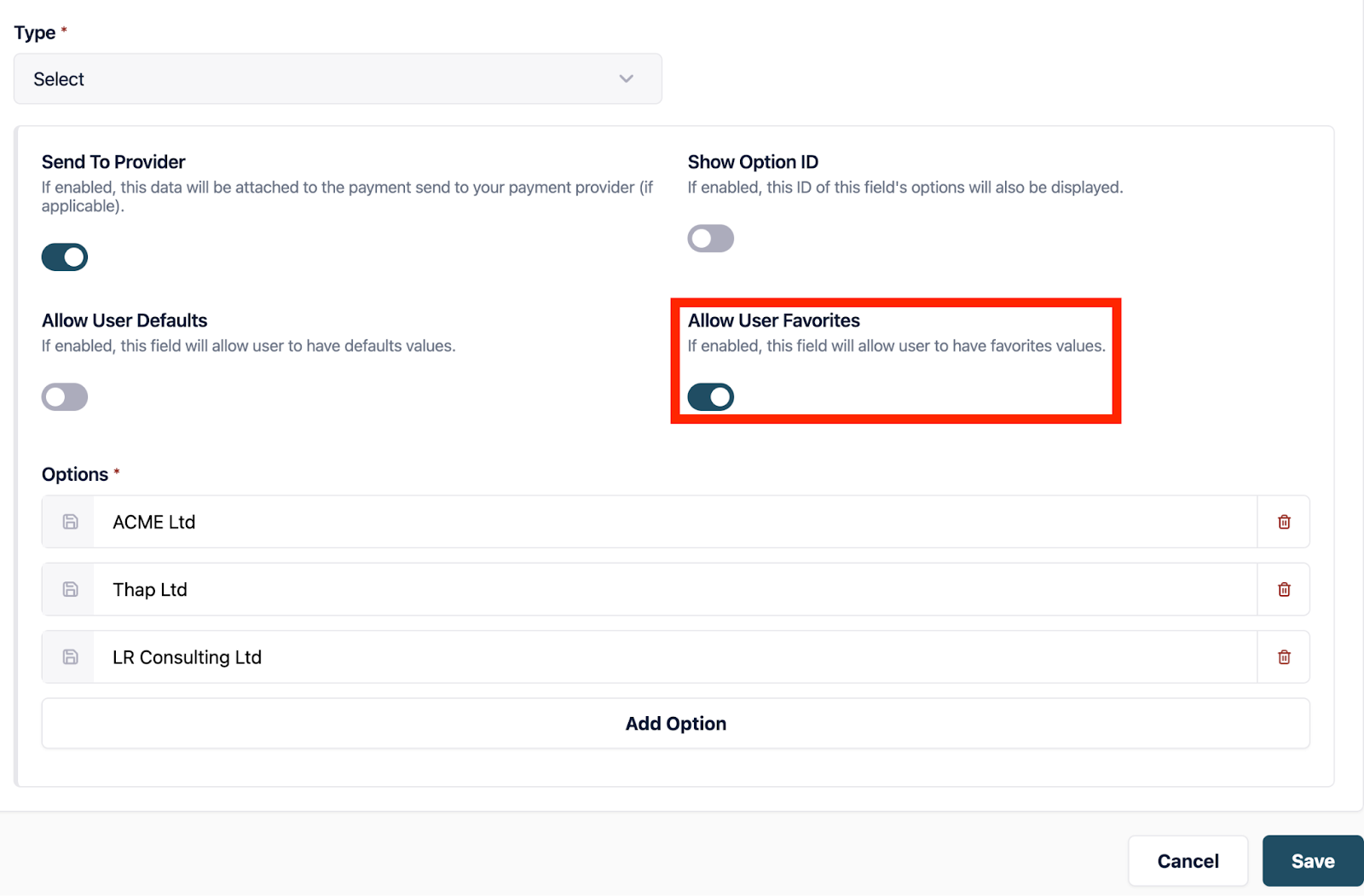
2. Select the edit button on the custom field, scroll down the page and select “Allow Users Favourites”.
3\. **Please note** there are **two** ways in which you can select favorites; Through your account and preferences or while creating a Virtual Card.
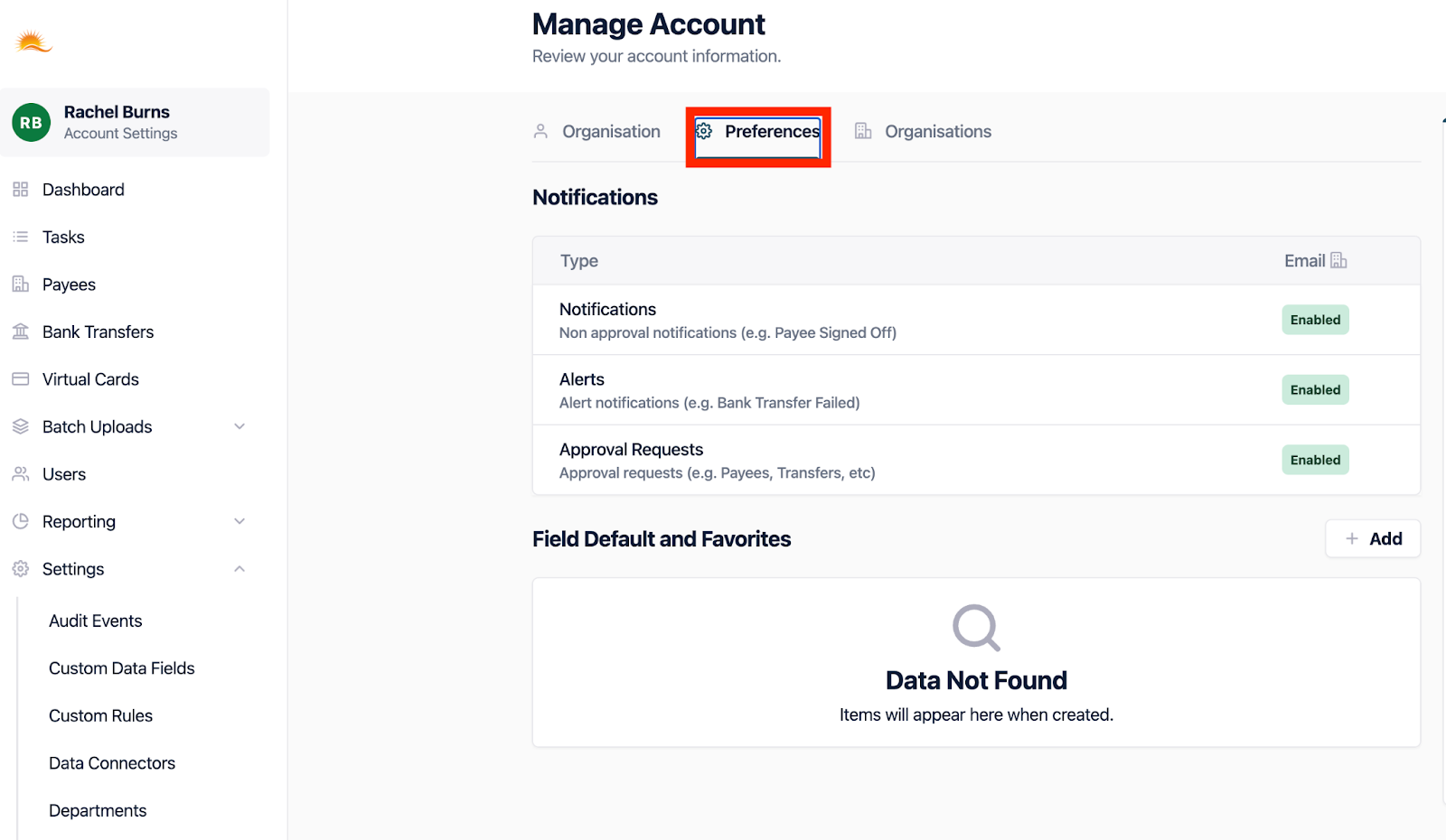
4. Select your name, which will allow you to “Manage your Account”, from there, please select “Preferences”.
5. Select the “Edit” icon within the Field Default and Favorites.
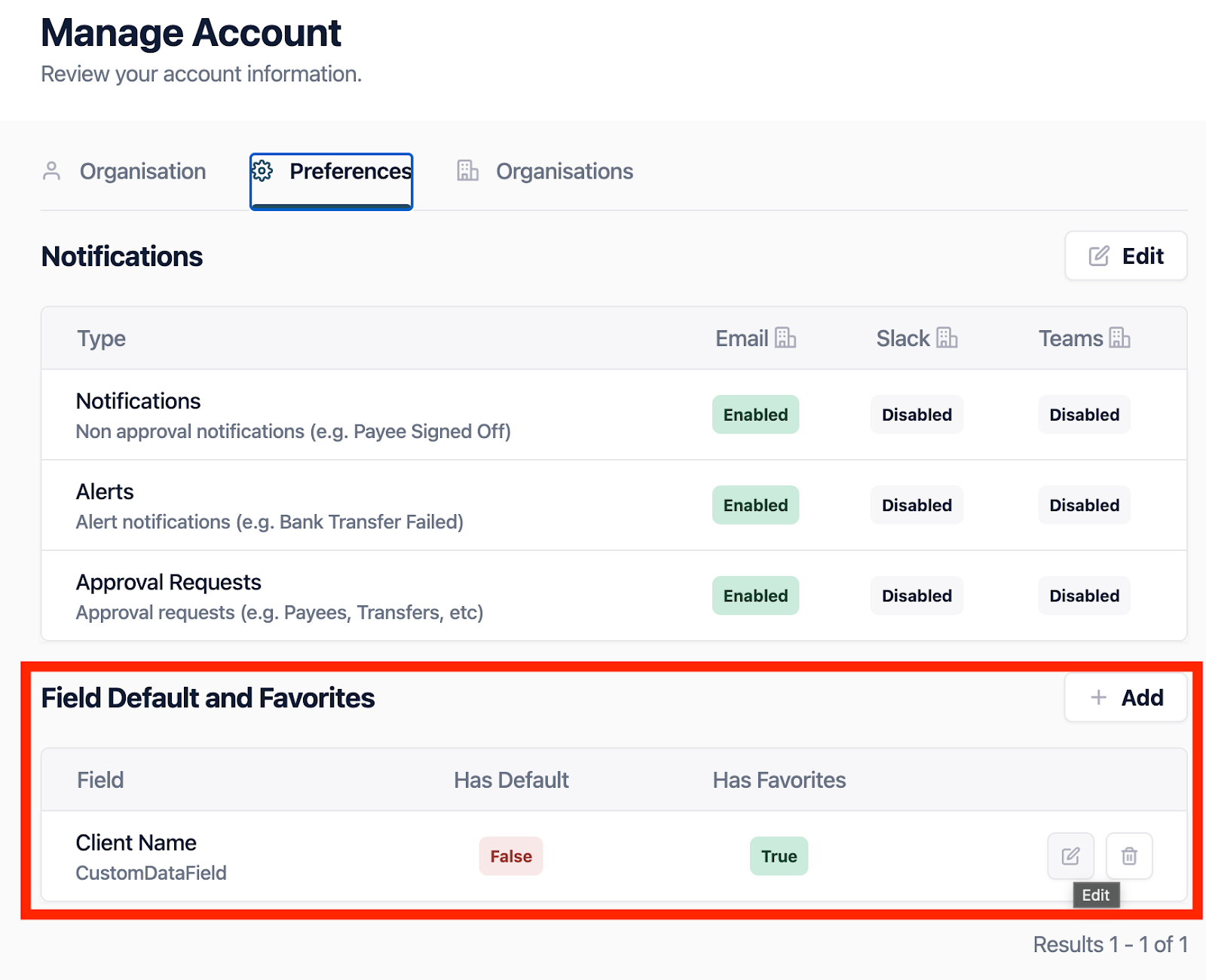
6. This will then allow you to populate the “Favorite Value”, you can select a Payee from the drop down.
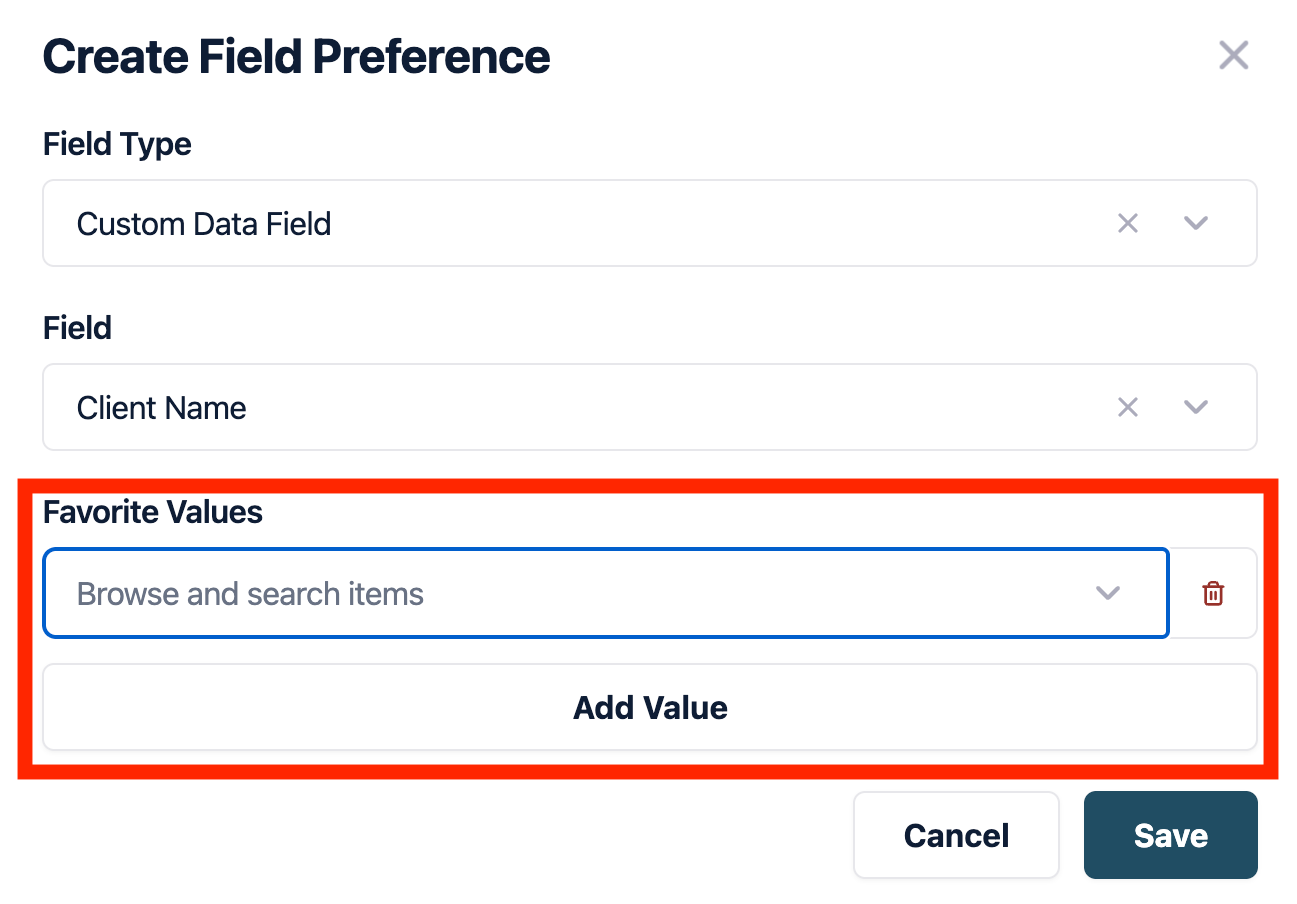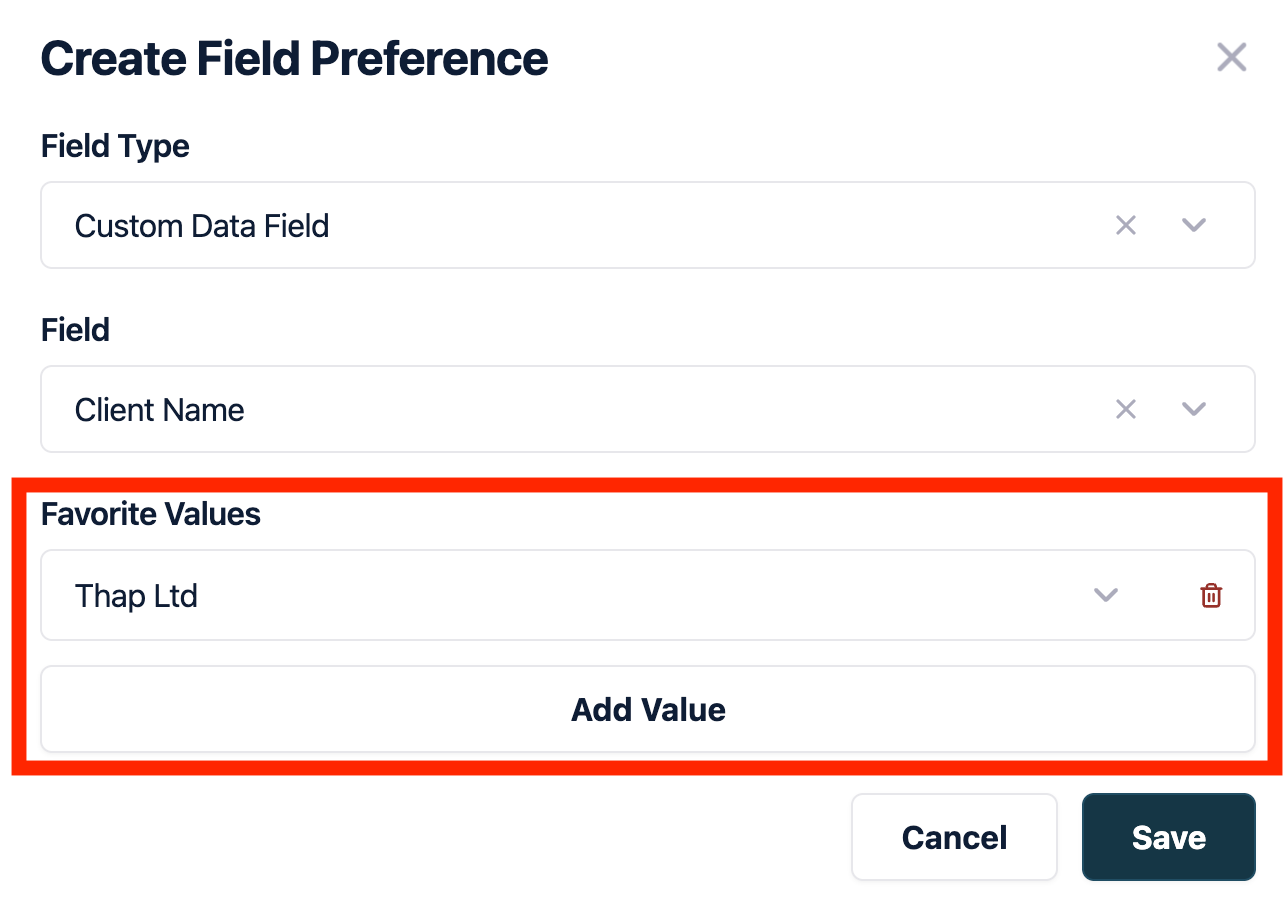
7. The second way that you are able to select “Favorites” would be while creating a Virtual Card. Start the process as normal, depending on what field (Client Name, RAC, UNI, Codes), you have selected “Allow Users Favorites” you will be given the option to “Manage” favorites. For this example we will be using “Client Name”.
8. Once you reach “Reporting Data” select “Client Name”.
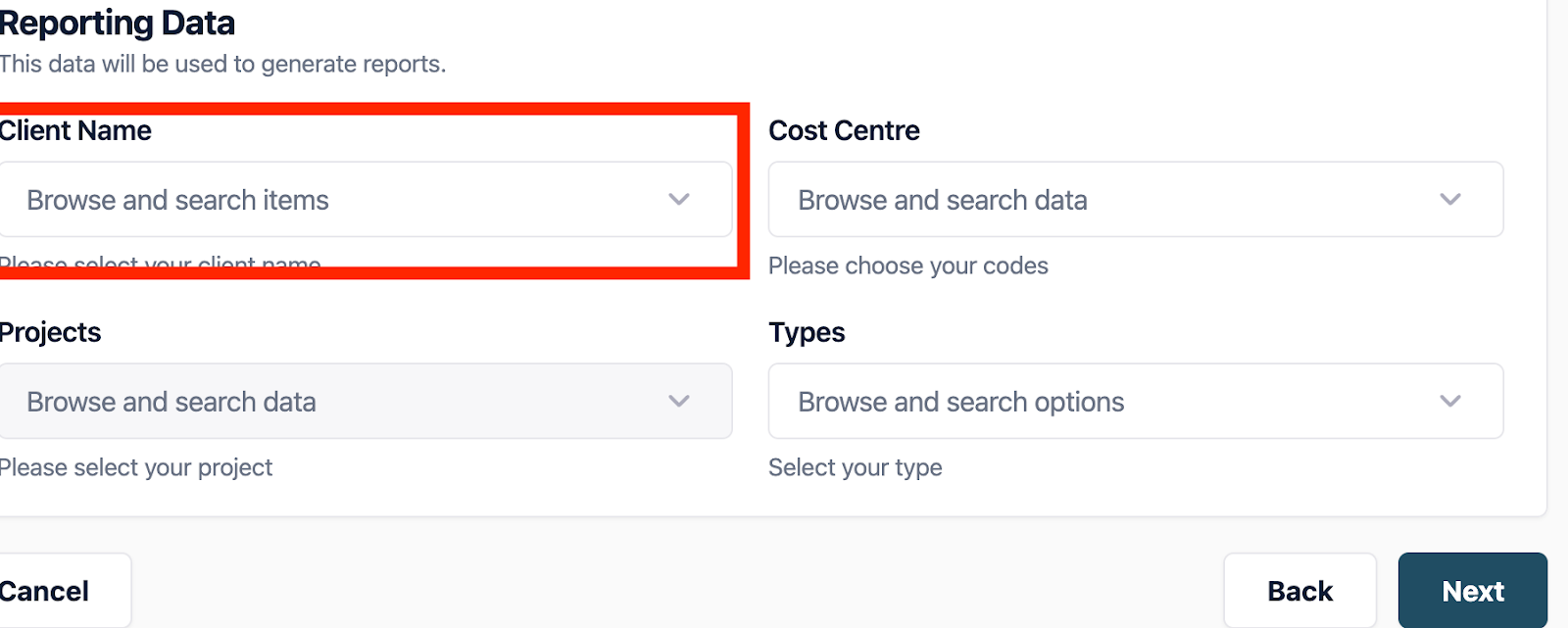
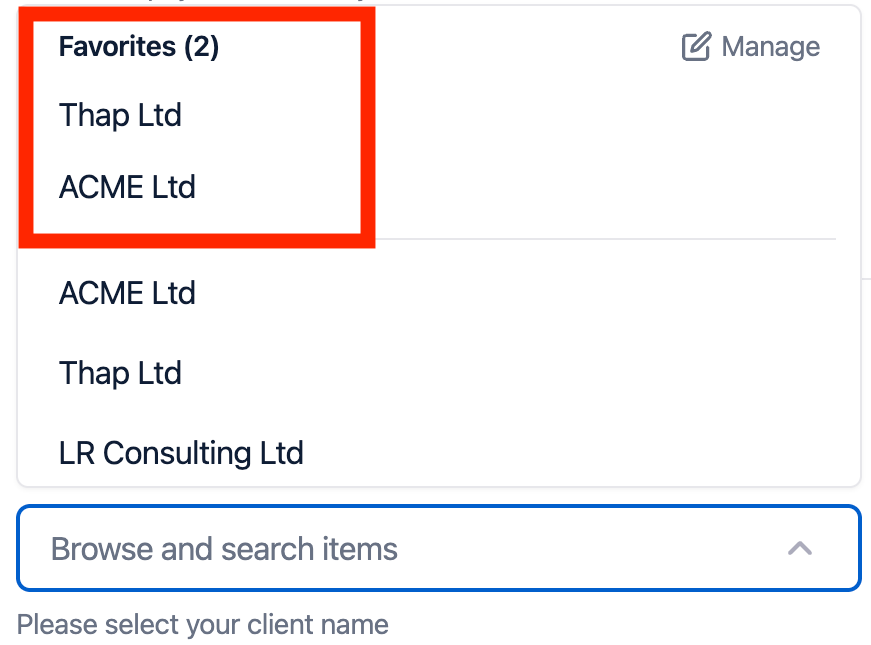
9. From the drop down you will see the “Manage” icon and any favorites you have previously created.
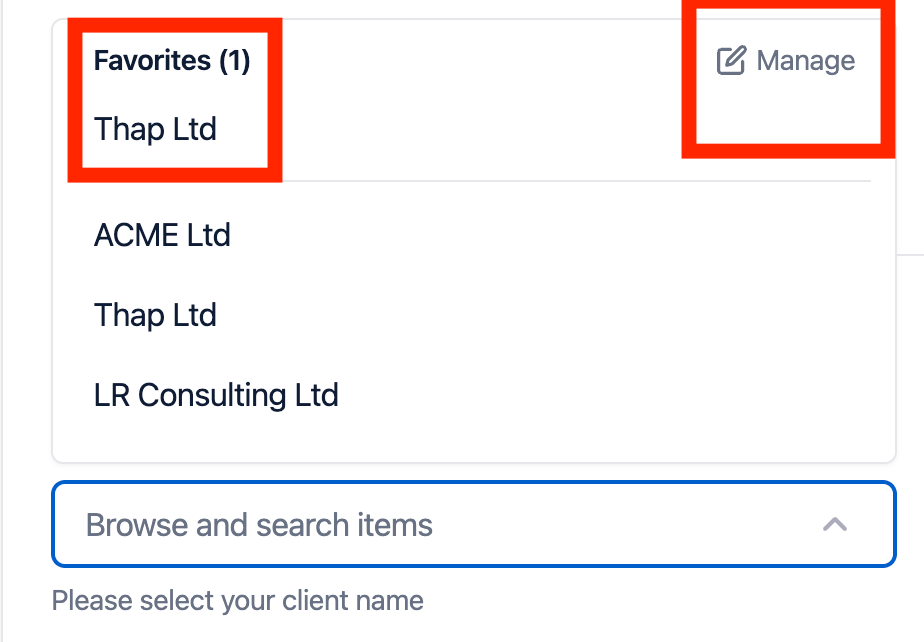
10. You will be able to “Browse and Search items” which will give you the names of clients you would be able to select as “Favorites”.
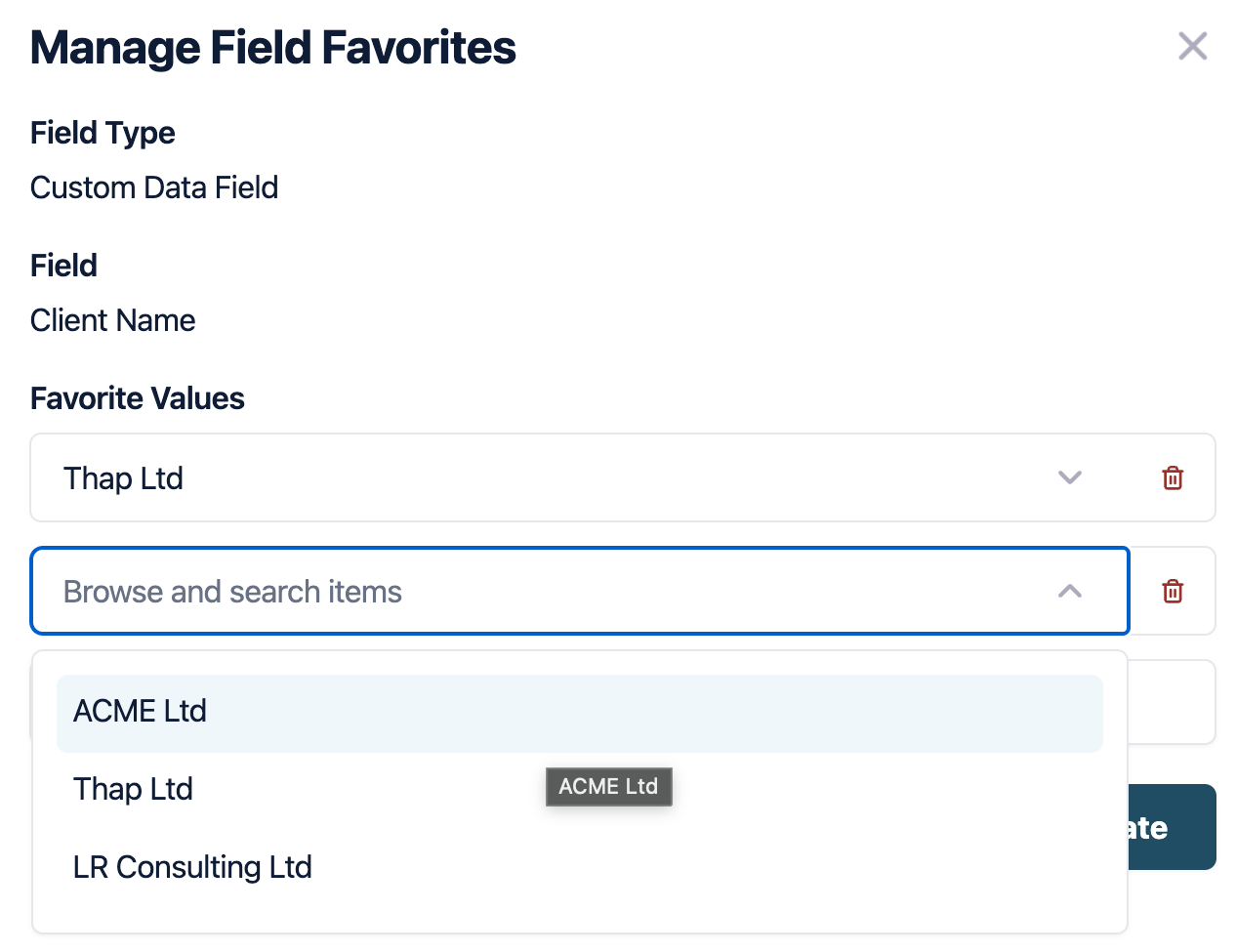
11. Please note that once this has been done the new client will be listed as a favorite.
- [Help for Suppliers](https://help.paid.co.uk/knowledge/help-for-suppliers?hsLang=en#main-content)
- [About Paid for Suppliers](https://help.paid.co.uk/knowledge/help-for-suppliers?hsLang=en#about-paid-for-suppliers)
- [Account Details](https://help.paid.co.uk/knowledge/help-for-suppliers?hsLang=en#account-details)
- [Documents](https://help.paid.co.uk/knowledge/help-for-suppliers?hsLang=en#documents)
- [Payments](https://help.paid.co.uk/knowledge/help-for-suppliers?hsLang=en#payments)
- [Work](https://help.paid.co.uk/knowledge/help-for-suppliers?hsLang=en#work)
- [Help for Buyers](https://help.paid.co.uk/knowledge/help-for-buyers?hsLang=en)
- [Help for Paid Lite](https://help.paid.co.uk/knowledge/help-for-paid-lite?hsLang=en#main-content)
- [Manage Payees](https://help.paid.co.uk/knowledge/help-for-paid-lite?hsLang=en#manage-payees)
- [Manage Bank Transfers](https://help.paid.co.uk/knowledge/help-for-paid-lite?hsLang=en#manage-bank-transfers)
- [Manage Virtual Cards](https://help.paid.co.uk/knowledge/help-for-paid-lite?hsLang=en#manage-virtual-cards)
- [User Management](https://help.paid.co.uk/knowledge/help-for-paid-lite?hsLang=en#user-management)
- [Administration](https://help.paid.co.uk/knowledge/help-for-paid-lite?hsLang=en#administration)
- [Teams and Slack Notifications](https://help.paid.co.uk/knowledge/help-for-paid-lite?hsLang=en#teams-and-slack-notifications)
- [Authentication](https://help.paid.co.uk/knowledge/help-for-paid-lite?hsLang=en#authentication)
- [Reports](https://help.paid.co.uk/knowledge/help-for-paid-lite?hsLang=en#reports)
- [ID Verification](https://help.paid.co.uk/knowledge/help-for-paid-lite?hsLang=en#id-verification)
- [Road Map](https://help.paid.co.uk/knowledge/help-for-paid-lite?hsLang=en#road-map)
- [Legal Aspects](https://help.paid.co.uk/knowledge/help-for-paid-lite?hsLang=en#legal-aspects)
- [Express Payments](https://help.paid.co.uk/knowledge/help-for-paid-lite?hsLang=en#express-payments)
- [Accessing Support](https://help.paid.co.uk/knowledge/help-for-paid-lite?hsLang=en#accessing-support)
- [Legal Aspects](https://help.paid.co.uk/knowledge/legal-aspects?hsLang=en)
[](https://paid.co.uk/)
Paid Help Center
Copyright © 2025, Paid Technology Ltd.